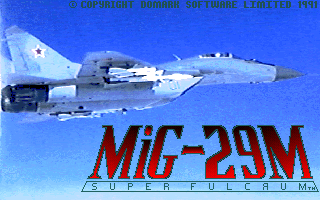
MiG-29M Super Fulcrum
Developed by:
Simis Limited
Simis Limited was a development studio especially known for its flight simulator games. It was founded in 1989 by Jonathan Newth and Ian Baverstock and acquired by Eidos in 1995.
In March 1998 there was a management buyout of the company which led to the formation of Kuju Entertainment. Kuju was originally an offshoot umbrella brand, that housed Simis as a flightsim brand. Later the company fully dissolved into Kuju.
Multiplayer:
Lan
Platform:
Rated:
3 x
Current rating:
Your rating:
Not rated -
login
- and rate
Uploaded by:
Anonymous
External links:
Description
THE SOVIET AIRFORCE: AN OVERVIEW
When Hitler's forces rolled into the Soviet Union in 1941, the Soviet
defenses were literally overwhelmed by the suddeness of the attack.
Thousands of Soviet warplanes were destroyed - caught unprotected by the
swiftness of the Blitzkrieg. But the Soviets worked day and night to replace
the lost aircraft, even during air-raids. Much of the manufacturing was
moved eastwards away from the frontline, out of bomber reach. Perhaps it is
this economy of design, born out of necessity as supplies of raw materials
became even more difficult, that still pervades the Soviet aircraft design
philosophy.
Traditionally, Soviet fighter designs are produced by the Design Bureaux
(OKB's) to fulfill a requirement published by the central bureau. The most
famous of these in the West is the Mikoyan and Guryevich Design Bureau known
more commonly as MiG. Sukhoi and Yakovlev (SU and TU) are also prominent if
a little less known counterparts. The word MiG has become synonymous with
the Soviet airforce or WS as it is known, due to the exploits, in export
form, of its planes in the Korean and Vietnam conflicts. Regardless of the
design studio, all Soviet aircraft share a common ideology - simplicity of
design, ease of maintainance, toughness and where possible the ability to
operate from rough unpaved airstrips of the shortest possible length. The
MiG-29 for example, can take off from a strip of only 240 metres! (787 ft),
the American F16 by comparison typically needs twice this.
WS cadets who pass the rigorous weeding-out process typically begin their
jet-propelled flying career on an L29 jet trainer. These are flight
instructor controlled flights (FIC), but gradually pupils will do more and
more of the flying until, after a year's intensive training, they graduate
from the Gugarin Higher Aviation Academy. Pilots are then sent to
operational conversion units where they learn to fly supersonic planes such
as the MiG-21, a MACH 2 fighter whose role the MiG-29 was designed to
replace. The MiG-21 is encountered in this simulation in its export form -
the Chinese built Shenyang F-7M.
Soviet training has traditionally concentrated on the basics of flying -
formation flying, low level navigation and rigid regime of tactical combat
flying. Historically this has led to criticism of soviet Air Combat
Manoeuvres (ACM), as being too rigid and inflexible during actual combat -
'Show a soviet pilot initiative, and the next thing you know he's landing in
Japan' as the joke goes - a reference to the famous defection of MiG-25
pilot, Lt Belyenko to Japan in 1976. This inflexibility has had more to do
with the aircrafts' relative inferiority at dogfighting than any lack of
ability on the part of the pilots. Recent advances in Soviet Aerodynamics in
the shape of the MiG-29 and the SU-27 however, will probably lead to a new
style of flying being taught at soviet air academies, although whether this
will result in American - style 'Top Gun' schools remains to be seen.
The Soviet Airforce is known as the WS (Voyenno - Vosdushnye Sily) and is
itself divided into two main divisions, the FA (Frontovaya Aviatsiya, or
frontal aviation) which is the tactical wing and the DA (Dalnya Aviatsiya,
long-range aviation) which is the strategic air arm.
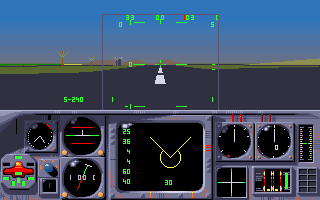
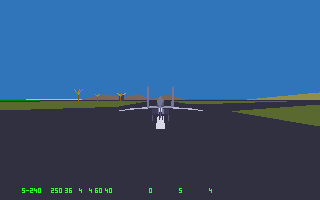
In this simulation you will operate the MiG-29 initially as a pilot
undergoing conversion training, before achieving combat status. In combat
you will fly the MiG in a variety of locations within the Soviet sphere of
influence. Each scenario has its own challenge and therefor tests the pilot
in different areas of skill - air to air, air to ground, unguided missile
attack and of course cannon.
Don't forget to use your MiG's amazing manoeuvrability to dodge missiles,
deploy chaff to confuse radar guided missiles and flares for IR guided air to
air missiles. Remember to study the performance characteristics of the
aircraft you encounter - A 'Mirage' is a much more formidable opponent than a
'Shenyang'.
More games from the same developer
Discover your next favourite game.
Follow Free Game Empire for weekly classics, gameplay tips and community picks.
 Follow on Facebook
Play game MiG-29M Super Fulcrum



Comments