Anvil of Dawn
Developed by:
DreamForge Intertainment
DreamForge Intertainment, Inc. was an American computer game developer. It was founded as Event Horizon Software, Inc. by the computergame developers Thomas Holmes, Christopher Straka, and James Namestka. The company would later change to Dreamforge. Until its dissolution the company produced several well known and awarded computer games, most of them in the genre of role-playing games and strategy video games.
The company was shut down in 2000 after struggles with the publisher while developing the never finished game Werewolf: The Apocalypse - The Heart of Gaia, which eventually led to the shutdown of the company.
Multiplayer:
No Multiplayer
Platform:
Rated:
11 x
Current rating:
Uploaded by:
Anonymous
Your rating:
Not rated -
login
- and rate
Description
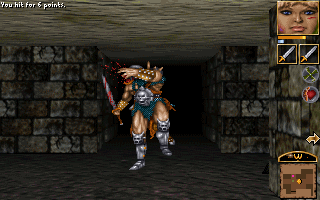
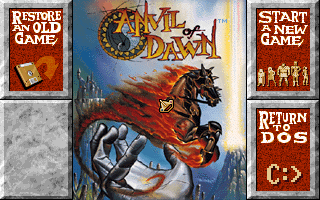
Anvil of Dawn is a first person role-playing game. It is one of the last non-3D first
person role-playing game that relies on pre-rendered graphics and sprite animations.
It cleverly uses transition effect to create a smooth movement when we move around and make turns.
The world is huge. There are many places that we need to adventure, get clues, solve the
puzzles and proceed to the last level. We will go under water as well.
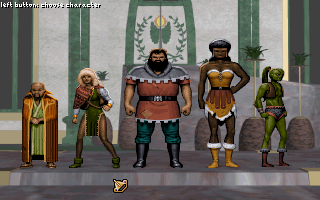
Unlike other games, Anvil of Dawn does not require us to do manual mapping. The auto
mapping function will do the job for us. We can choose one of the five characters to start
with. Each carries different characteristic. The spells are categorized into four categories, which we
have to pick the category that we like in the beginning. Similar to magic, the weapon skills
also being categorized into a few categories, and we also have to pick our preference in the
beginning of the game.
This game is not Abandonware any more
This game is not Freeware, Shareware or Abandonware
What does it mean ? We allow any archive to be uplodaded to our site, however if we find out that there is still active holder of copyright and/or this game is being actively sold we promtly delete such archive.
Thanks to interest in old games some game development companies (or what was left of them) sold rights to old titles to companies like Steam or GOG,
which are porting old games to new platforms and selling them again. That's why - for this game - you won't find link to download anymore and we'll block any attemt to re-upload this game.
You can filter out non-downloadable games by selecting "Only free and downloadable games" in top navigation bar.
Via buy button you can buy this game from one such seller. This button is provided solely for comfort of people interested in this game and we get no financial or other benefit from doing so. (Also we can't be hold responsible for any problems you'll encounter when buying or installing game via this link - please ask seller support if you encounter any compatibility problem).



Comments